

Submitted:
29 April 2025
Posted:
30 April 2025
You are already at the latest version
Abstract
The app 'Picasso' attempts to unify the worlds of robotics and digital creativity by allowing users to engage with a vertical painting robot. This app lets users take an image from their device’s gallery, convert it into contour graphics, and send it via Bluetooth to a robot to render it physically. The app has the added knowledge of advanced AI-generated imagery allowing the user to create unique images from a text prompt using Stability AI’s API. The main objective of this project is to create the easiest, most efficient, and most exciting way for users of all backgrounds to create and send computer-generated art to a robotic system that will then execute that art in reality. In contrast to traditional painting, "Picasso" offers the best of three worlds, combining artificial intelligence, digital design, and robotic execution, to create uniquely detailed and personalized drawings. The app allows users to do more than just transfer images; it encourages users to engage with the creative possibilities of artificial intelligence and complete an entire drawing experience with their hands free and automated. By providing an intuitive interface and powerful resources, Picasso wants to make AI art creation more accessible and integrated into robots' applications. This project is a step towards the future of human-machine collaboration in the field of creativity, making the creation of robotic art easier.
Keywords:
robotics
; digital creativity
; bluetooth transmission
; contour graphics
; vertical painting robot
; image generation
; AI-powered art
1. Introduction
The aim of this project is to demonstrate that mobile applications incorporating AI can create more efficient and ac- cessible processes for generating art with robots. The objective of the ’Picasso’ app is to augment, if not eliminate, the drawing process and reframe the conversation about what humans and machines can create together in the process of mechanical reproduction of works of art, and improve the field of AI- generated robot art. The Picasso Wall Robot project combines art and technology by creating an AI-powered mobile app that works with a robot to paint on walls. It helps solve the problem of unfinished tech projects and the lack of electronics- related patents in Kyrgyzstan. The app lets users pick images from their phone, generate AI art, and convert images into simple outlines that the robot can draw using Bluetooth. A local database stores these images for later use. The app also includes animations showing how the robot paints, making the experience more interactive. This project is unique because it combines AI-generated art with robotic drawing, unlike other apps. By getting a patent, it aims to boost technological inno- vation in Kyrgyzstan. The goal is to finish development and documentation by April, making it ready for patent registration and real-world use.
2. Methods
A. Image Generation, Processing, and Management
The main component of the mobile application for the Picasso wall bot main component lies in manipulating and processing images. Users can either use images from their gallery or they can create new images using AI based models. Those images are processed to attain simplified contours to make them accessible for the robot. In support of smooth workflow, the app functionality includes an embedded database that allows users to manage images that keeps images tracked. Both user selected images and AI images can be saved, read, and sent back to a device at any time. This image management aspect will allow users to quickly generate and arrange their content for drawing in a more practical form.
B. Bluetooth Pairing, Compression, and Data Transfer
The wall robot and the mobile application communicate via Bluetooth. Whenever a connection is made, the app will search for devices in the vicinity and attempt to establish a secure pairing with the robot. A secure operation between the app and robot will begin with a secure handshake which authenticates both devices and creates a stable one-to-one communication link. Once paired, images will be prepared for transmission. To improve performance, the application has a compression algorithm to make the image files size smaller while still retaining relevant information. This will allow for quicker transfers, as there is a reduced chance there will be a transmission error and the Bluetooth bandwidth will be more efficiently utilized during an image deliver.
3. Robot Interaction and Visualization
A. Robot Execution of Contour Images
Once a contour image is received, the robot considers it a series of drawing instructions. Each simple line and shape corresponds to a series of movements; the robot is then able to reproduce an image on a vertical wall surface. This transformation translates digital content to physical artistic expression and proves that the robot can work as an extension of user-built creativity.
B. Real-Time Robot Animation and Preview
The app includes a robot animation that mimics the drawing process to increase control and accuracy. Prior to sending the image for execution, the user can view the robot’s movements, and how the image will be aligned on the screen. In real-time, the user can see how the robot is moving so that the final image can be exactly what the user imagined, while decreasing the potential for misalignment with the drawing, as well as inspiring a greater degree of engagement between the user and robotic system.
C. Related work
Recent developments in robotic art systems have shown the advancing potential to bring AI-based image processing together with a physical drawing system. Within a similar project, SketcherX was created as an automated robotic system that allows for autonomous drawings based upon human input that focused primarily on edge detection and sketch reproduc- tion (Song, 2024). Although SketcherX is not on the same scale as Picasso, and is not designed to provide as enriched a user experience, as the Picasso app utilizes a mobile device for user interaction, images are generated using prompts from AI, and robot movement is animated in real-time.
Furthermore, T. Imagawa and colleagues have previously investigated the possibility of interactive robot painting and proposed ways to dynamically change robot actions in re- sponse to visual feedback (Imagawa et al., 2024). Although Imagawa’s system relied on external sensors, the Picasso project utilizes pre-processed contour images and Bluetooth to communicate with the robot. In other words, it is a streamlined but more powerful system that is more adaptable for education and artistic practice.
The confluence of robotic execution and mobile-based im- age generation parallels themes discussed in ”Picturing AI: Exploring Human-Robot Collaboration through Robotic Draw- ing” (Romanov, 2024), in which the use of human creativity with machine precision was found to significantly augment user engagement and creative outcomes. In this respect, the Picasso project continues the conversation while centering accessibility and patentability, in emerging markets such as Kyrgyzstan.
D. Performance and Evaluation
During the testing phase we used a variety of mobile devices and a prototype robot in our testing these Bluetooth transmission speeds ranged from 50 to 150 KB/s influenced by the compatibility of the devices and environmental factors. Our preprocessing and compressing of the images typically reduced the file sizes by an average of 70 percent, especially for images with a lot of detail. This resulted in image transfer times usually taking less than 10 seconds. The AI image generation times varied from 3 to 10 seconds based on internet speed and the complexity of the prompt. Accessing a local database was instantaneous and allowed for very rapid image retrieval and reuse.
E. User Testing
A user study with students and hobbyist artists evaluated the app’s usability. The participants completed several tasks in the app, including tasks involving the generating images with AI, processing images into a gallery of images, and pairing a robot. The main takeaway from the feedback was that the app was accessible and provided users with something new and interesting, and that users felt empowered to create unique visual content, with or without art backgrounds. This is consistent with previous findings from the development of wall-scale vector art drawing robots that emphasize the role of user-friendly interfaces to facilitate use of robots as art (Isaev, 2024).
The app incorporates robust error-handling mechanisms to address common issues like failed Bluetooth connections or API timeouts. Users receive notifications of such events, and the system automatically retries the failed operations. Addi- tionally, the app employs check pointing to resume operations from the last successful transmission, minimizing workflow disruptions.
F. Application
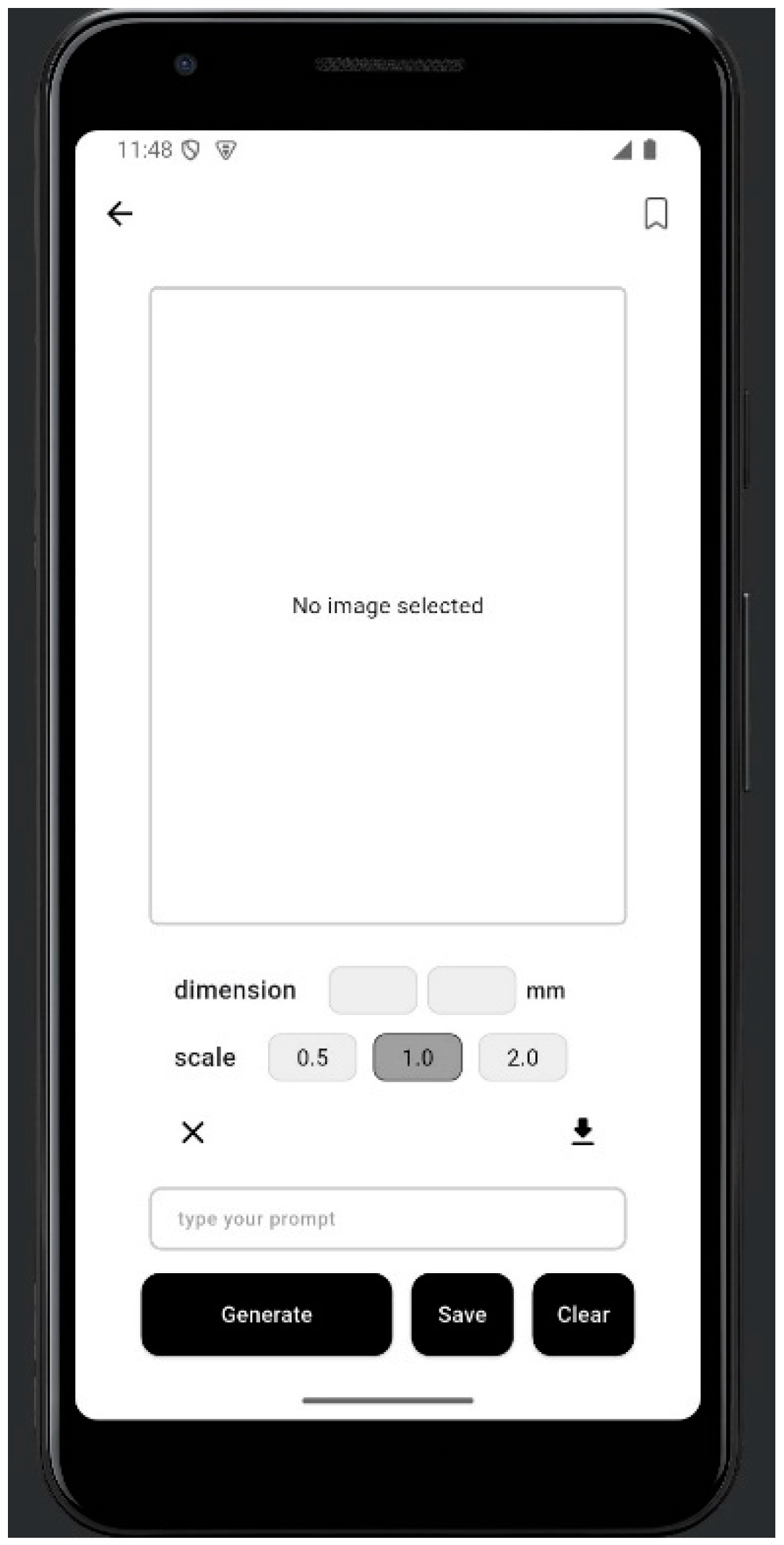
Image selection and AI generation interface: The Picasso mobile application is designed to provide users with a seamless and intuitive experience for creating robotic art. As shown in Figure 1 and Figure 2, the app allows users to either select an image from their device gallery or generate a new image using integrated AI models. After selecting or generating an image, users can preview the robot’s drawing motion through a real-time animation feature. This ensures that the artwork will be accurately positioned and executed by the wall-drawing robot. By offering both image management and execution preview functionalities, the application enhances user interaction, minimizes errors, and bridges the gap between digital creativity and physical robotic art.
Conclusion
The Picasso project marks an important transition between robotics, artificial intelligence, and human creativity. The advancement integrates AI-generated images with a robotic drawing process in real time through a user-friendly mobile app. As such, the project demonstrates the technical possibility of the problem of robotic art, naturalizes the creation of art with robots, and upends assumptions of authorship and process within art making. The innovation is in the technology—not just technology surrounding Bluetooth data transmission, im- age compression, and local database technology—but also in the conceptual area it represents. Picasso is guiding us toward a better understanding of the relationship between creativity and technology: the transformation from a manual act of isolation, to an event of collaboration and interaction across devices, platforms, and spatial contexts. This transformation enables educational, artistic and therapeutic applications where users may view the results of their thoughts being created on vertical surfaces ”live.” In addition, the project highlights the ongoing trend in human-robot interaction (HRI) technologies where robots serve as creative collaborators instead of replacements. By offering live previews, error management, and flexible image processing, the application keeps users in charge of their creative intent while leveraging the accuracy and speed of robots. This position is consistent with literature in robotic art systems like SketcherX and Scribit, which prioritize user engagement and interface design as important considerations at all stages of successful adoption (Song et al., 2024; Ratti, 2018). In the future, the Picasso project could enable new areas of research and development within AI-based creative systems. Future projects will include improvements such as multi-robot synchronization, augmented reality wall mapping, and offline- AI which will improve flexibility and performance. Together, these improvements will better facilitate complex and large- scale art-making activities that allow robotic creativity to be tailored to different situations and user specifications. In conclusion, the Picasso mobile app is an interesting case study in the development of creative technologies. It sets a precedent for future applications that seek to combine the expressive potential of artificial intelligence with the mechanistic function of robotics. As we enter a future that will require increasing re- definition of the creation, sharing and experience of art itself, platforms such as the Picasso application will be pivotal in defining and shaping this new artistic space. By supporting accessible, AI-supported robotic creativity, the Picasso project not only pushes the boundaries of what is technically possible, but also the boundaries of what is imaginatively possible.
Literature Review
My research began with AI-generated art, focusing on how artificial intelligence can create images that a robot is capable of tracing. I explored notable projects such as RoboDK, Ai-Da, and FRIDA from Carnegie Mellon University (CMU), which provided insights into converting AI images into machine- readable drawing instructions [1,4,6]. To understand the technical implementation of AI image generation, I explored platforms and APIs capable of translating user prompts into images. The OpenAI API, in particular, proved to be a versatile tool for this task [13,14]. I also reviewed comparative articles that analyzed various AI image generators to identify the most suitable solution for my project [7]. In terms of local storage, I analyzed SQLite and Hive databases, aiming to ensure that users could save and access images even without an internet connection. A comprehensive review of top Flutter- compatible local databases helped guide this decision [12] For Bluetooth communication between the mobile app and the wall robot, I consulted several resources focused on BLE (Blue- tooth Low Energy) development in Flutter. These included guides and discussions on establishing reliable connections and efficiently transmitting data between devices. [9]. Another challenge involved efficiently handling API responses and maintaining a local copy of data. To address this, I applied the repository pattern in Flutter, which I learned through a detailed guide on structuring data layers in mobile applications [11]. Finally, I explored practical integration strategies to combine AI generation and Bluetooth communication into a seamless user experience. Articles discussing hybrid app functionality and real-world examples significantly contributed to the backend structure of my app. [8].
References
- Isaev, R., Esenalieva, G., Ermakov, A. (2024). Design and imple- mentation of wall-scale vector art drawing robot.CompSysTech ’24: International Conference on Computer Systems and Technologies 2024. [CrossRef]
- Ratti, C. (2018). Carlo Ratti’s writing robot transforms your wall into an artistic canvas. ArchDaily. https://www.archdaily.com/892077/carlo- rattis-writing-robot-transforms-your-wall-into-an-artistic-canvas.
- Song, J., Kang, M., Kwak, N. (2024).SketcherX: AI-Driven Interactive Robotic drawing with Diffusion model and Vectorization Techniques. arXiv preprint arXiv:2409.15292. https://arxiv.org/abs/2409.15292.
- RoboDK. (2023). RoboDK and Generative AI: The Future of Robotics and Art. https://robodk.com/blog/robodk-generative-ai/?utm.
- Zapier. (2023). Best AI Image Generators: Tools to Create Art with Ar- tificial Intelligence. https://zapier.com/blog/best-ai-image-generator/?utm.
- Koborinai, N. (2023). Getting Started with AI Image Generation Apps on Flutter: GenKit and Imagen. https://medium.com/.
- Predictable Designs. (2024). How to Develop a Mobile App that Communicates with Your Product Using Bluetooth. https://predictabledesigns.com/how-to-develop-a-mobile-app-that- communicates-with-your-product-using-bluetooth/?utm.
- BrandVM. (2023). Art Meets AI: Inside the Creative World of Ai-Da, the Robot Artist. https://www.brandvm.com/post/art-meets-ai-inside-the- creative-world-of-ai-da-the-robot-artist?utm.
- CMU News. (2023). Carnegie Mellon’s AI-Powered FRIDA Robot Collaborates with Humans to Create Art. https://www.cmu.edu/news/stories/archives/2023/february/carnegie- mellons-ai-powered-frida-robot-collaborates-with-humans-to-create-art.
- Koborinai, N. (2023). Getting Started with AI Image Generation Apps on Flutter: GenKit and Imagen. https://medium.com/.
- Stormotion. (2023). Developing a BLE App: A Complete Guide for Mobile Developers. https://stormotion.io/blog/develop-ble-app/?utm.
- FocusT Apps. (2023). Developing Mobile Apps that Interface with Blue- tooth Devices. https://focustapps.com/2023/04/26/developing-mobile- apps-that-interface-with-bluetooth-devices/?utm.
- Serrano, D. (2023). Data Layer in Flutter: Use the Repository Pattern to Keep a Local Copy of Your API Data. https://davidserrano.io/data- layer-in-flutter-use-the-repository-pattern-to-keep-a-local-copy-of-your- api-data.
- ResearchGate. (2023). How to Generate AI Images Using OpenAI API. https://www.researchgate.net/publication/381696921.
- IRJET. (2023). Artificial Intelligence in Image Gen- eration: An Overview of OpenAI’s API Capabilities. https://www.irjet.net/archives/V11/i6/IRJET-V11I6100.pdf.
Figure 1.
Real-time robot animation preview.
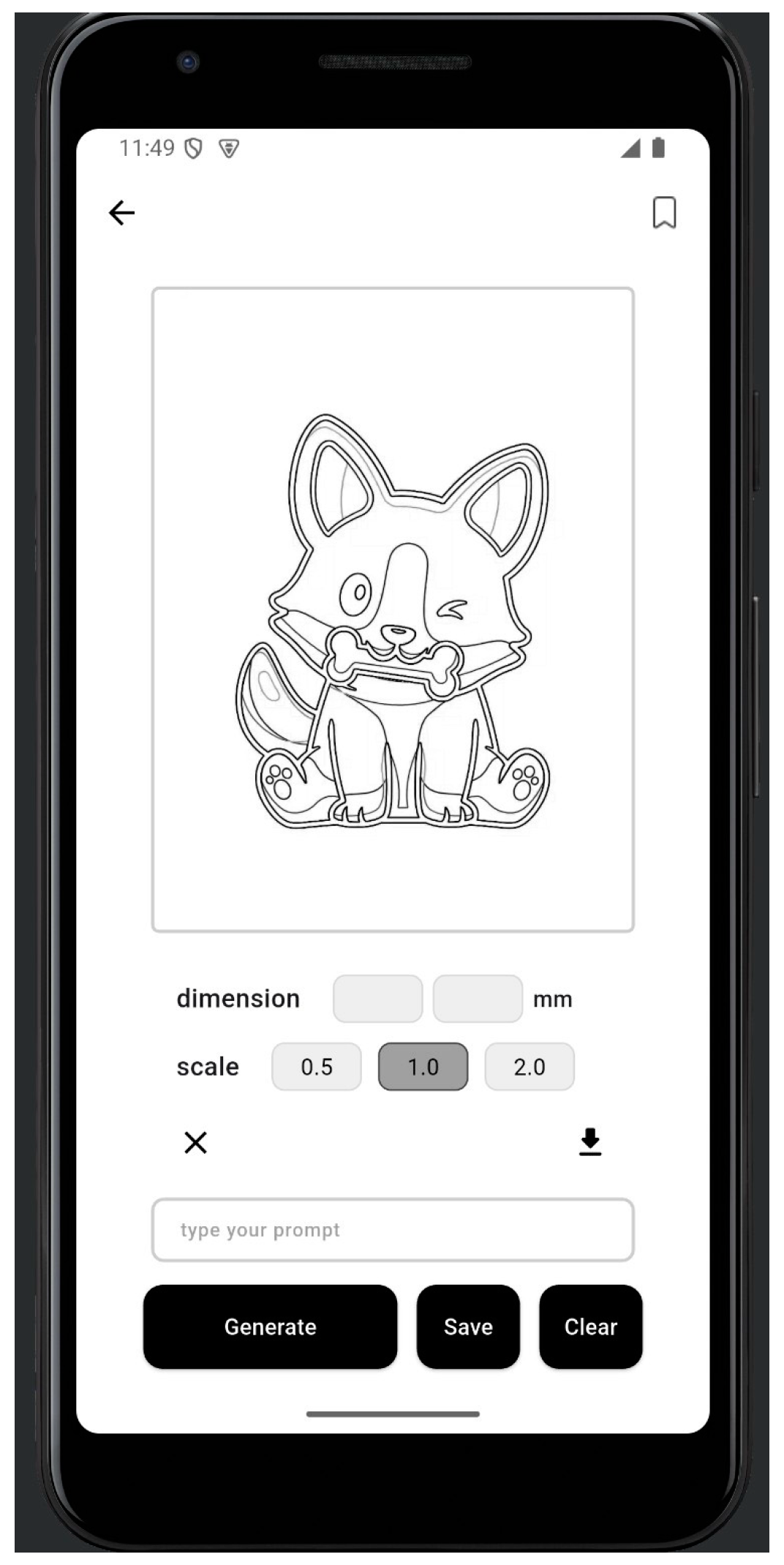
Figure 2.
Screenshots of the Picasso mobile application.
Disclaimer/Publisher’s Note: The statements, opinions and data contained in all publications are solely those of the individual author(s) and contributor(s) and not of MDPI and/or the editor(s). MDPI and/or the editor(s) disclaim responsibility for any injury to people or property resulting from any ideas, methods, instructions or products referred to in the content. |
© 2025 by the authors. Licensee MDPI, Basel, Switzerland. This article is an open access article distributed under the terms and conditions of the Creative Commons Attribution (CC BY) license (http://creativecommons.org/licenses/by/4.0/).
Copyright: This open access article is published under a Creative Commons CC BY 4.0 license, which permit the free download, distribution, and reuse, provided that the author and preprint are cited in any reuse.


